
Recycle Bin Tutorials
Records of some modules are moved to the Recycle Bin when they are deleted (see Recycle Bin for the list). Deleted users are only listed when the Module filter is set to Users (not All). If a user is permanently deleted, you can no longer see the changelogs and audits linked to that user.
💡These tutorials explain how to restore deleted records from the Recycle Bin or delete them permanently.
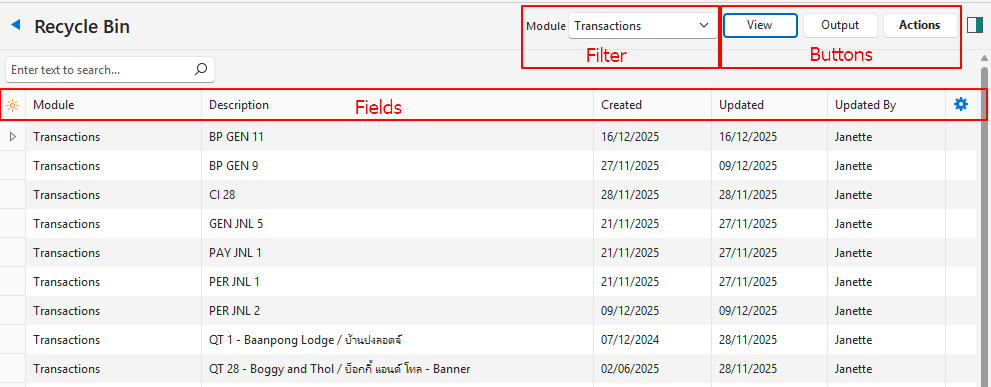
How to Use the Recycle Bin
- Navigate to the Recycle Bin.
- Deleting Multiple Records:
- Select the records to permanently delete. (Use Shift + left-click to select multiple continuous records, or Ctrl + left-click for multiple random records.)
- Click Actions (button) > Delete.
- Confirm the deletion on the popup.
- Restoring Multiple Records:
- Select the records to restore. (Use Shift + left-click to select multiple continuous records, or Ctrl + left-click for multiple random records.)
- Click Actions (button) > Restore.
- Confirm the restore on the popup.
- Deleting or Restoring Single Records:
- Right-click the record and select either Delete or Restore (whichever applies).
- Confirm that you want to Delete or Restore the selected entry.