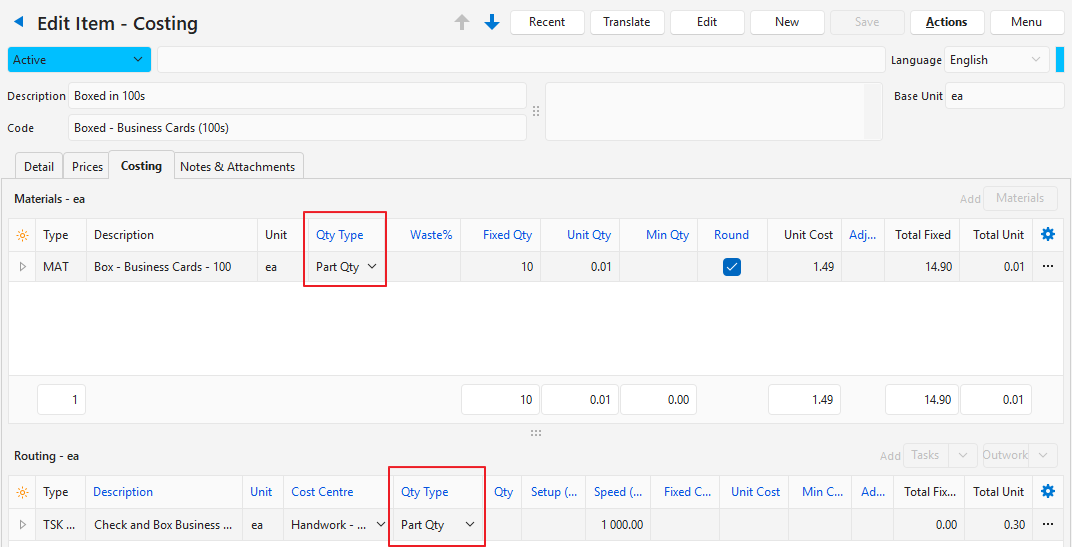
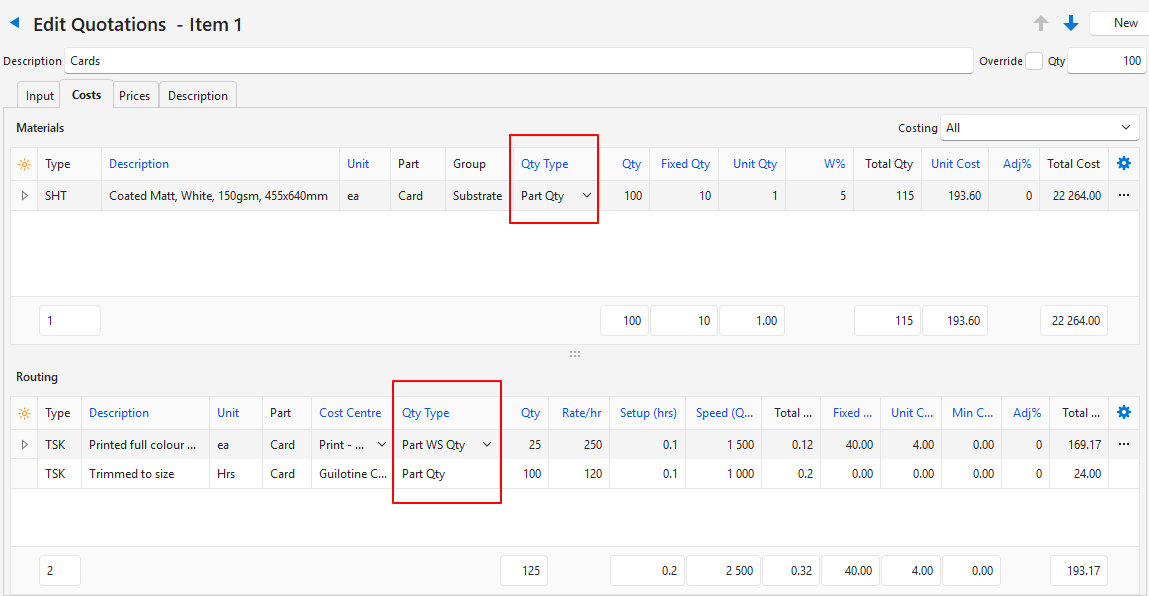
This page explains the Quantity Types and how they are used in calculations.
Info
A General Setting lets organisations choose which Quantity Types they use. If the setting is unchanged, only the Fixed Qty and Job Qty options are available.
Warning
Always choose the correct Quantity Type for costings and estimates.
Quantity Type
Description
Fixed Qty
The Costing Quantity is fixed, regardless of the job, estimate or part quantities.
Any quantity in the Fixed Qty field is added to the quantity to determine the Total Quantity.
If the Total Quantity is less than the minimum quantity, it is replaced with the minimum quantity.
Job Qty
The Quantity (Qty) is multiplied by the Unit Quantity (Unit Qty).
Any quantity in the Fixed Qty field is added to the quantity to determine the Total Quantity.
If the Total Quantity is less than the minimum quantity, it is replaced with the minimum quantity.
Part Qty
The Costing Quantity is multiplied by the Part and Job Quantities.
If it is used on a service or material that is not linked to a part, this quantity type sums all the part quantities.
Part Area (sq.m)
The Costing Quantity is multiplied by the job quantity, the part quantity and the part area in square metres.
Use it for items, such as ink, that cover a specific area.
Calculation = Part Area + Margin x Part Qty (depends on the part’s Qty Type).
Part WS Qty
The Costing Quantity is multiplied by the worksheet quantity.
Do not use it for reels.
Calculation = Part Qty / Qty Up (Linked Print Imposition), rounded up.
Part WS Area (sq.m)
Calculates the total area of the worksheets in square metres.
It is calculated from the print imposition.
Part WS Length
Calculates the total length of the worksheets.
Do not use it for sheets.
It multiplies the worksheet depth by the number of worksheets.
Calculation = Worksheet Depth x Worksheet Quantity.
Part Edge (m)
Calculates the edge of the part.
It is typically used for seams or rims.
Job Weight (kg)
Uses the job weight as the estimate quantity.
Applies only to substrates.
Plate Qty
Calculates the number of plates needed for services linked to a part, using the Estimating (Printing) attribute.