
Statement of Financial Position Interface
The Statement of Financial Position provides a snapshot of an organisation’s financial position on a specific date. Negative values appear in red where applicable.
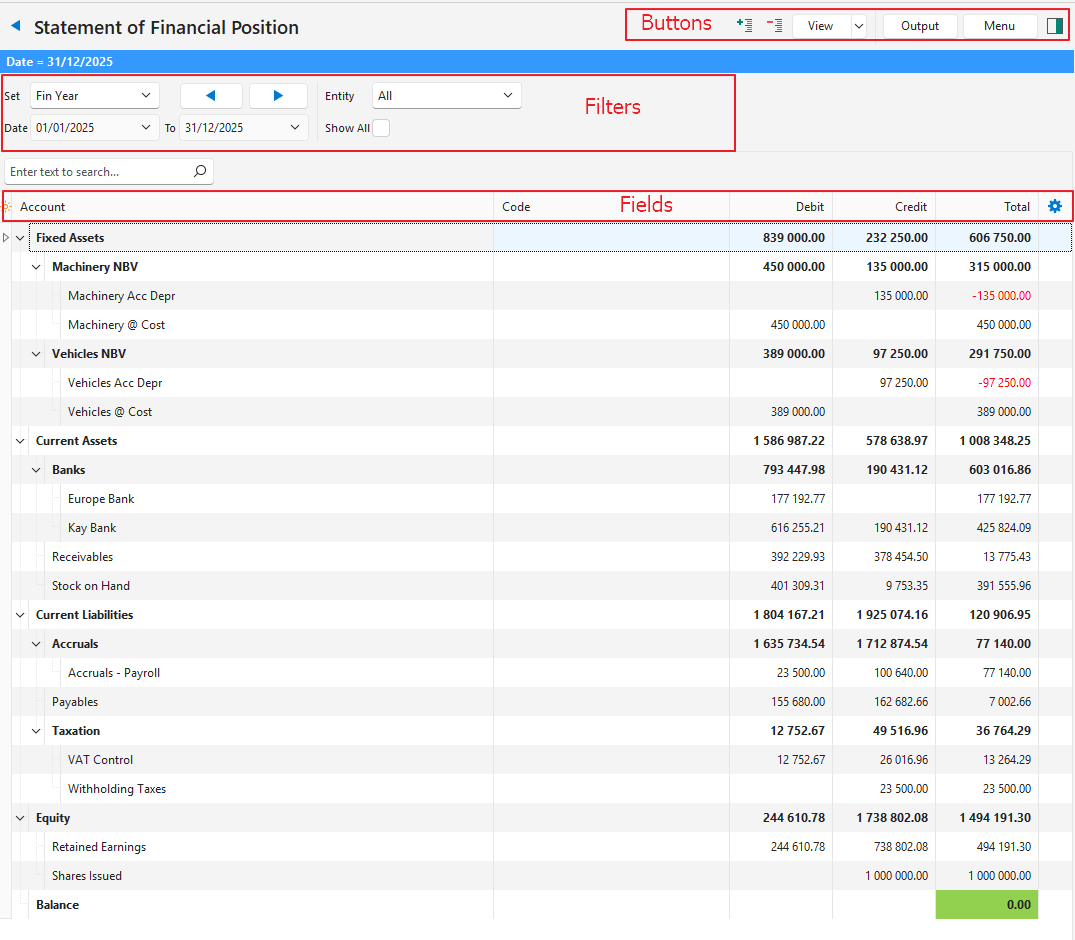
Buttons Explained
| Button | Description |
|---|---|
| + – | Expands the view to show all the sub-accounts, or collapses it to show only the main accounts. The statement opens expanded. Your last choice is kept when you click View (button) again. |
| View | Shows the entries that match the selected filters. |
| Arrow on View Button | Reset Data Filter: Resets all the data filters. |
| Output | Prints, previews or emails the output if Output Templates are set up for the module. Export: Exports the list in .xlsx, .htm or .csv format. |
| Menu | Views
Settings
|
Filters Explained
| Filter | Description |
|---|---|
| Set | A dropdown list of date options. When you open the statement from Financial Reporting, Fin Year (Months) is selected by default:
You can enter dates only when User Date is selected. |
| Arrows | Adjusts the date in the direction of the arrow. |
| Date … to … | Set your own dates (depending on the selection under Set). |
| Entity | Select All or a specific entity from the dropdown list. |
| Show All | A checkbox. If checked, all the accounts appear, including those with zero balances. |
Fields Explained
| Field | Description |
|---|---|
| Field Chooser (*) | Add or remove columns. |
| ID | The system-generated number for the entry. |
| Account | The name of the account. |
| Code | The account number or code. |
| Debit | The total of transactions that were debited to the account in the selected period. |
| Credit | The total of transactions that were credited to the account in the selected period. |
| Total | The total movement for the selected period:
|
| Month columns (e.g. Jul ’26) | Appear only when Set is Fin Year (Months). There are 12 columns, one for each month of the financial year, captioned with the month and year. Each column shows the account’s cumulative balance at the end of that month (not the movement for the month). The layout for Fin Year (Months) is saved separately from the layout for the other date options. |
 | A context menu (also opened by right-clicking the entry) with the following option:
|