
Batch Updates
Info
You can change multiple records at once with a function named Batch Updates.
On reports (list views), batch updates are under Actions (button) > Batch Update, which opens a dropdown list on the right.
On service tickets, batch updates appear above the project details.
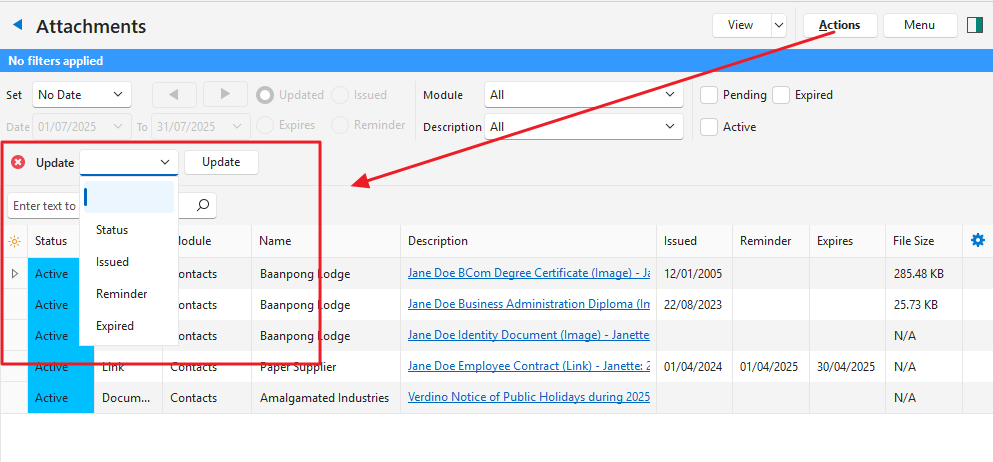
Batch Update Interface
| Field | Description |
|---|---|
| X in red circle | Closes the Batch Update popup. |
| Dropdown list next to Update | Lists all the available Batch Update functions. |
| Field next to dropdown list | One or more input fields based on the function selected. |
| Update (button) | Updates the selected records. Can be replaced by Add or Remove buttons (e.g. to add or remove categories). You are prompted to confirm the update. |