
Output Templates Module
- The Output Templates module lists the form templates that are linked to transactions (e.g. Customer Invoices) and modules (e.g. Customer Age Analysis). A linked template is generated when Output (button) is clicked and the template is selected (see Output Button).
- The templates added to the various modules can all be accessed from this interface. New templates can also be created here.
- Templates are added to this interface automatically when they are added to a module.
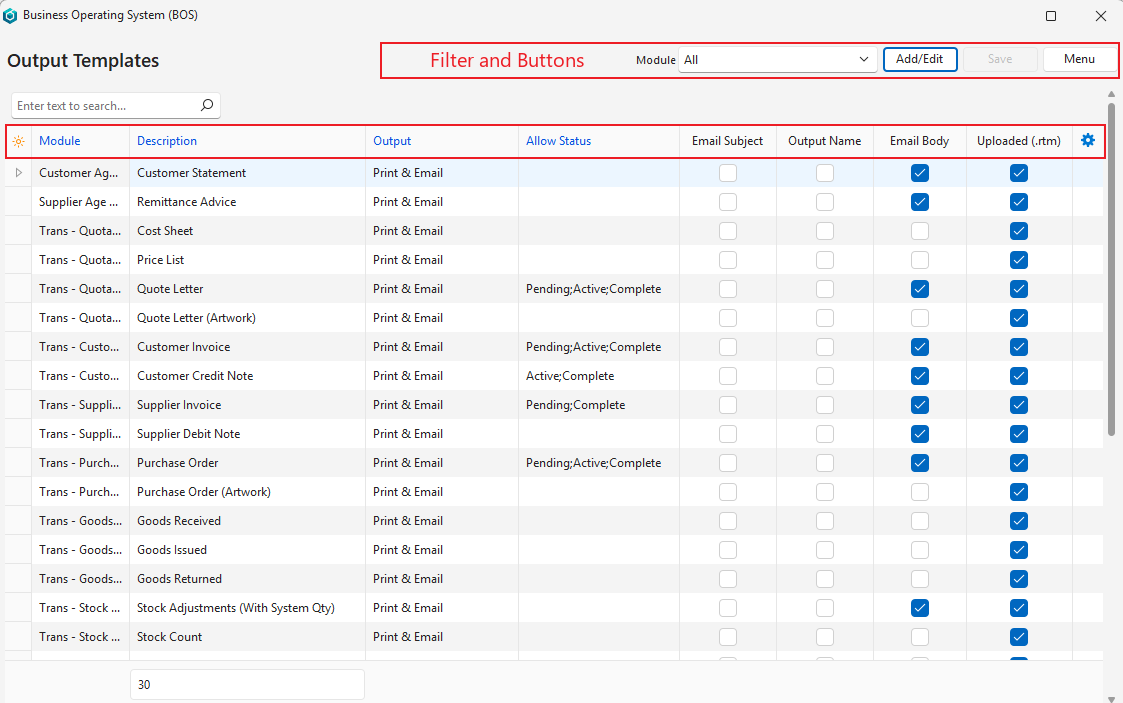
Buttons Explained
| Button | Description |
|---|---|
| Add/Edit | Adds a template or edits existing templates. |
| Save | Saves any changes. |
| Menu | Layout |
Filter Explained
| Filter | Description |
|---|---|
| Module | Select from a dropdown list of all the modules. |
Fields Explained
Fields marked in blue (✎) can be edited.
| Field | Description |
|---|---|
| ID | The system-generated number for the entry. |
| Module | The module the template was created for, or All. / Select a module. |
| Description | The name given to the output template. Enter a name. |
| Language | The language of the template. / Select a language. The template is listed only under Output on transactions in that language. If blank, the template is listed on all transactions. Only available for Transaction Types, when additional languages are set up. Transaction templates print the Category, Status and Credit Term in the transaction’s language, using the translations in the Language Editor. Text that has no translation is printed as it was entered. This translation is automatic: you do not need to change your templates. |
| Follower | Sets which of the transaction’s or service’s Followers the email is addressed to. / Select:
Shown only for transaction and service modules. New templates default to All. |
| Output | Shows whether the output options are Print only, Email only or Print & Email. / Select Print only, Email only or Print & Email. |
| Default | A checkbox. If checked, the template is the default output for the Transaction Type. Clicking Output (button) on the transaction prints or emails this template directly (according to its Output setting). The dropdown arrow still lists all the templates. Shown only for transaction and service modules. |
| Allow Status | Sets the Status Groups for which Output is allowed. Applies only to transactions. / A dropdown list of Status Groups for you to check the applicable statuses. |
| Entities | The entities that can use this template. Applies to all transaction and service modules. If no selection is made, all the entities can use the template. Entities are added using the right-click context menu. |
| Email Subject | Checked when an Email Subject is created. |
| Output Name | Checked when an Output Name is set. The output name is the file name of the PDF attached when the template is emailed. Templates without an output name use the template’s Description as the file name. |
| Email Body | Checked when an Email Body is created. |
| Uploaded (.rtm) | Checked when a Form Designer template is linked. |
| Created | The date on which the entry was created. |
| Updated | The date on which the entry was updated. |
| Updated By | The user who last updated the entry. |
 | A submenu with the following functions:
|