
Estimate Types List View
The Estimate Types list view shows a list of the Estimate Types. This page describes its buttons and fields. To create an Estimate Type, see Estimate Type Tutorials.
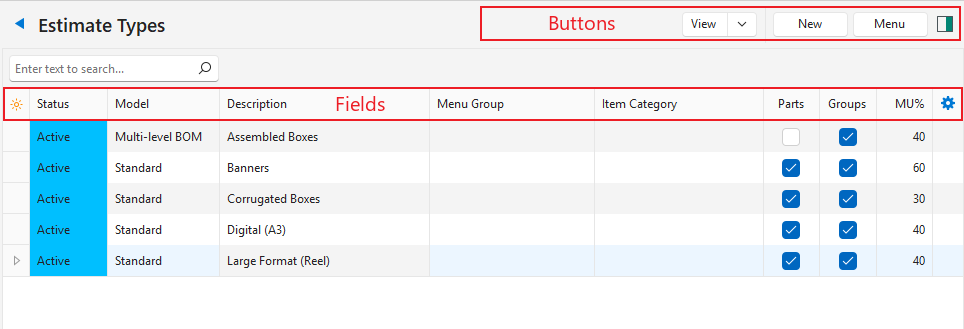
Buttons Explained
| Button | Description |
|---|---|
| View | Generates a list of Estimate Types. |
| Arrow on View Button | Reset Data Filter: Resets all the data filters. |
| New | Creates a new Estimate Type. Estimate Type statuses must be created first (Menu (button) > Edit Statuses). Otherwise, the message “Invalid Setting Status. See Menu button > Settings > Edit Statuses.” appears. |
| Menu | Show Notes Settings |
Fields Explained
| Field | Description |
|---|---|
| ID | The system-generated number for the entry. |
| Status | The current Status of the entry. |
| Model | The Estimate Type’s model: Standard or Multi-level BOM (see Multi-level BOM Estimates). |
| Description | The Estimate Type’s description. |
| Menu Group | The name of the Menu Group. |
| Status Note | Enter a note or instruction for that status. |
| Created | The date on which the entry was created. |
| Updated | The date on which the entry was last updated. |
| Updated By | The user who last updated the entry. |
| Item Category | The category selected for the setting: General > Item Category – Costings.
|
| Enable Parts | Checkbox. Checked if Parts are used. Parts cannot be enabled if a category is selected. |
| Enable Groups | Checkbox. Checked if Groups are used. Groups cannot be enabled if a category is selected. |
| MU% | The default markup percentage. |
 | A submenu with these options (also available by right-clicking the entry):
|